Hop Island
A pill at the top of your screen that opens when you hover it.
Hop Island sits at the top of your screen as a small pill. Hover it to open it, and scroll to move between its pages.
 Hop Island

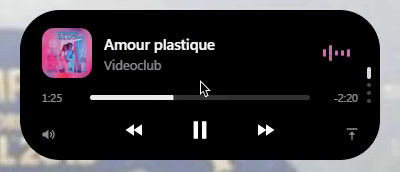
Music
The island follows Spotify, or any other media app Windows knows about. It shows:
- Play, skip and seek controls, with the album cover.
- Music bars in the album's colours.
- One synced lyric line for the current song.
- The volume of the app that is playing, not the whole PC.
Lyrics are looked up once per song on LRCLIB. A song that isn't there has no lyric line.
Pages
Scroll on the open island to move through its pages:
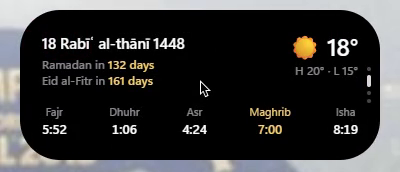
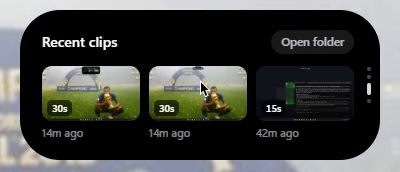
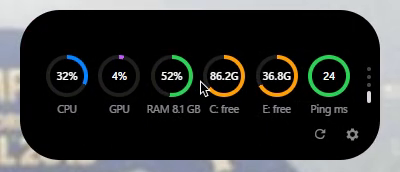
| Page | Shows |
|---|---|
| Today | The Hijri date, the Ramadan or Eid countdown, the weather and prayer times |
| Clips | Your newest clips from Hop Clipper |
| PC stats | CPU, GPU, RAM, drives, ping and a speed test |
Prayer times
Set your city and the island shows the day's prayer times, with a gentle alarm and chime. You can pick the calculation method and the Asr time (Standard or Hanafi).
Prayer times and weather need your city. Until you set one, in the installer's Customize now step or in the settings app, they stay empty.
Pop-ups
The pill shows short pop-ups for charging, low battery and Bluetooth headphones. With Hop Clipper installed, saved clips appear there too.
Dropping a file
Drop a file on the island to upload it. The link is copied for you when the upload finishes.
Warning
A dropped file is uploaded to mutate.lol, so it leaves your PC. Don't drop anything you want to keep private.
Settings app
The gear on the island's last page opens the settings app. There you can reorder, hide and customise every page, and resize and move the island, with a live preview. Undo and reset are always there.
Hop Clipper's settings are in the same app. Every setting and its default is listed in Settings and Shortcuts.